




How can I use horoscope tools step by step?
Online horoscope tools give fast, actionable insight: short-term horoscopes, birth-chart (Kundli) snapshots, compatibility checks, Vaastu energy scans, transit alerts, and muhurat suggestions. This step-by-step guide explains exactly what to gather before you start, how to enter time and place correctly for Canadian users, how to read the most useful outputs, privacy safeguards, and clear criteria for when to consult a professional Vedic astrologer or Vaastu consultant. For related first-party details, review Free horoscope tools guide: smarter ways to read daily, weekly, and monthly insights.
Before you begin: the quick checklist of what to gather
Accurate inputs make the difference between a helpful result and confusing noise. Gather these items first.
- Birth date — day, month, year.
- Exact birth time — the best source is a birth certificate or hospital record. If unavailable, ask a parent or close relative and note the level of certainty.
- Birth place — city and province or country. If the tool asks for coordinates, copy the latitude and longitude for the city used on the birth certificate.
- Time zone at birth — check whether daylight saving time (DST) applied on that date and location.
- Device and browser — use an up-to-date browser and consider private browsing to avoid saved history.
- Screenshots and notes — save images of results and write the two main takeaways and any follow-up questions for a human reading.
If you prefer a guided walkthrough using World Astro utilities, see the Free horoscope tools guide for screenshots and practical tips.
Step 1: use daily, weekly and monthly horoscope tools the right way
Short-term horoscopes are best for orientation, not decisions. Follow this order when you consult them.
- Choose the correct scope. Use daily horoscopes for immediate moods, weekly for planning priorities and time management, and monthly for project timing and broader goals.
- Set location and time zone. If the tool includes timing advice, confirm it shows your local time today. Mistaking the time zone flips scheduled days and can make planning unreliable.
- Read tone and extract actions. Pick two practical items: one to start and one to avoid. For example, “Schedule a short meeting on Wednesday” and “avoid signing contracts on Thursday.” Treat these as prompts to test, not commands.
- Record and review. Note one measurable goal and check back after the period ends. Tracking outcomes trains you to use horoscopes in a reflective, evidence-based way.
This approach keeps short-term horoscopes useful and grounded, turning insights into small experiments rather than sole decision drivers.
Step 2: use a birth chart calculator (Kundli) and interpret key outputs
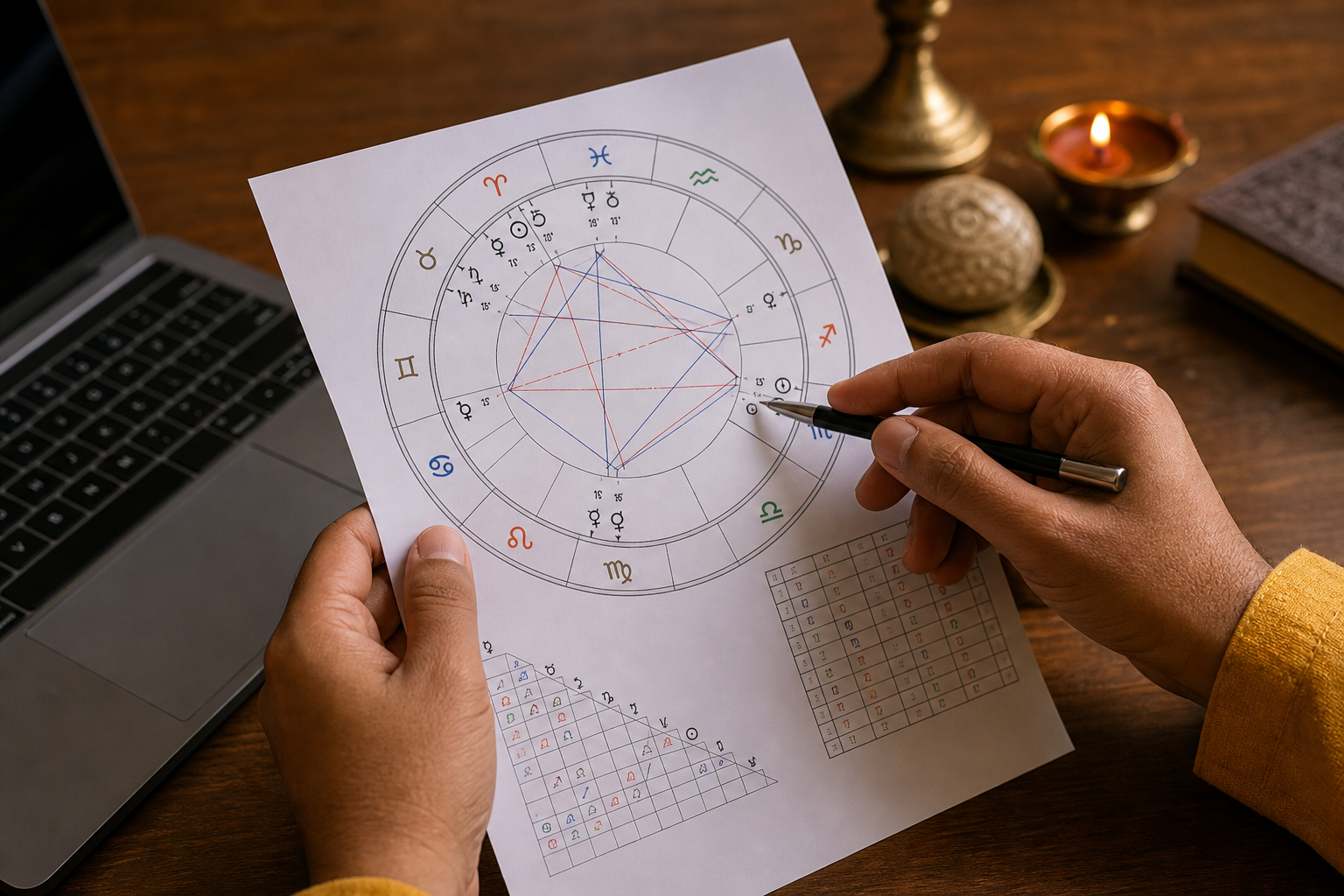
A birth chart maps where planets were at your birth. To produce a reliable chart, enter accurate inputs and verify time-zone handling. Then save the chart and read a few core lines before diving deeper.
- Open a reputable birth-chart calculator and enter date, time, and place.
- Confirm the calculator used the correct time zone and DST for the birth date and location.
- Save a screenshot and the brief interpretation summary the tool provides.
Required inputs and how to find an accurate birth time
First check official records. If you only have a remembered time, enter the likely window and mark results as approximate. Important note: the Moon and house cusps can shift within hours, so an uncertain minute affects some outputs more than others. When precise timing matters for muhurat or legal and financial questions, book a rectification or professional reading.
If you must work with an approximate time, run the chart at the start, middle, and end of the reported window and compare recurring themes. Differences that persist across the window are more reliable than features that change with minutes.
Time zone and location for Canadian users
In Canada, confirm whether DST applied on the birth date for the province used. If a birthplace was a small town, choose the closest larger city recognized by the calculator and check coordinates. Latitude and longitude influence house cusps and Vaastu-like energy scores, so use the most accurate city entry offered by the tool.
Key outputs and plain-language templates for interpretation
Use these short templates to read most online chart summaries quickly.
- Rising sign (Ascendant) — how others perceive you and your immediate style. Template: “Ascendant suggests you come across as X, so begin public tasks that require visible presence with small steps.”
- Sun sign — your core purpose and long-term direction. Template: “Sun placement highlights strengths in Y; focus on consistent projects in that area.”
- Moon sign — emotional needs and daily rhythm. Template: “Moon shows what restores you; schedule brief rest or creative time on busy days.”
- Major houses — 2nd for money, 4th for home, 7th for partnerships, 10th for career. Template: “A strong 10th house suggests a focus on career visibility; prioritise public or leadership tasks.”
- Transits — current planets touching natal points. Template: “A Saturn transit may ask for steady work and delay; plan for patience and structured steps.”
These templates help you move from jargon to action in minutes. For timing or location-related maps, consult an astrocartography primer or a professional for interpretation that affects major life choices.
Step 3: use relationship and compatibility tools without over-reading scores
Compatibility calculators provide a useful snapshot, but numbers are shorthand. Use them like this.
- Enter both natal charts with the same accuracy checks. If one birth time is approximate, note that in your review.
- Read the numeric score as a summary. High scores highlight easy areas, lower scores show topics that need work. Do not treat a single score as a final judgement.
- Identify repeat themes. If multiple indicators point to communication issues or timing conflicts, test concrete behaviours for two to three months and observe outcomes.
- Escalate for major commitments. For marriage, joint finances, or business partnerships, use a matched chart reading (kundli matching) with a professional for a nuanced evaluation.
Step 4: Vaastu Energy Score, transit tools and muhurat helpers
Vaastu and muhurat tools are helpful diagnostics and scheduling aids. Here is a safe workflow.
- Run the Vaastu Energy Score using accurate orientation and room details. Treat the result as a diagnostic that suggests which areas of a property to check or improve.
- Check transit alerts with local time to identify peak influence days. Use transit notes to plan, not to force urgent action.
- Use muhurat helpers to create a shortlist of auspicious windows, then confirm final timing with a qualified Vedic astrologer because muhurat often depends on chart-specific details and local civic time rules.
If a tool flags urgent Vaastu or muhurat concerns, schedule a full Vaastu or muhurat consultation rather than relying on automated fixes. World Astro offers professional Vaastu and muhurat services for complex or site-specific issues.
Privacy and safety: what personal data each tool needs and how to protect it

Different tools request different data. Birth-chart and muhurat tools need full birth data, while daily horoscopes often need only your sign. Follow these practical safety steps.
- Enter only what the tool requires. Avoid uploading extra documents to public or unfamiliar sites.
- Use a private or incognito window for one-off queries to avoid stored history.
- Limit mobile app permissions. Do not grant contacts, microphone, or unnecessary location access for horoscope features.
- Back up important consultation screenshots offline and keep a secure copy of any official birth documents you share with a professional.
Before installing an app, match its core features to your intended use and review requested permissions. This simple check reduces data exposure without blocking useful functionality.
Limits, common objections and decision criteria for booking a professional
Tools are practical for reflection and planning. They have limits and sometimes produce results that contradict experience. Use these clear rules to decide when to consult a professional.
- Approximate time is acceptable for general lifestyle guidance, daily and monthly horoscopes.
- Exact birth time is required for muhurat selection, precise career timing, legal or financial timing, and many Vaastu remedies.
- Book a professional when you need tailored remedies, Vaastu site visits, gemstone or mantra prescriptions, muhurat confirmation, or when automated results create urgent or contradictory advice.
Bring screenshots, original birth data, and a short list of specific questions when you book a consultation to make the session focused and efficient.
Quick follow-up: a 5-item worksheet and next steps after using a tool
- Verify inputs: confirm birth date, time, place, and time zone.
- Save a screenshot and note the date and the tool used.
- Track three observations over two weeks that relate to the tool’s guidance.
- If results are unclear, re-run the tool after correcting inputs or take screenshots to a professional for review.
- Decide one concrete next step: re-run with corrected data, ask a focused question by email, or book a consultation.
Frequently asked questions
Do I need my exact birth time to use horoscope tools?
Not always. For daily or monthly horoscopes and basic Sun sign checks, the date is enough. For an accurate Kundli, muhurat selection, or house-based Vaastu guidance, the exact birth time is important. If you only have an approximate time, mark results as provisional and consider professional rectification when timing matters.
How accurate are online horoscope tools and calculators?
Tools are accurate for computational outputs when inputs are correct. They are good for summaries and timing cues, but they do not replace a nuanced professional reading for detailed remedies or high-stakes decisions.
How do I protect my privacy when using horoscope apps or websites?
Limit the data entered to what is necessary, avoid unnecessary uploads, use private browsing for one-off queries, and deny app permissions that are not needed for horoscope functions. Keep consultation records offline if you prefer extra privacy.
When should I book a live astrologer or a Vaastu consultant instead of relying on tools?
Book a professional when you need muhurat confirmation, a site visit for Vaastu, gemstone or Rudraksha recommendations, chart rectification, or when automated results contradict important life decisions. Bring your screenshots and original birth data to the session.
Can I use muhurat and transit tools reliably from Canada?
Yes, provided you confirm the time zone and daylight-saving rules used for the dates involved and use the correct local city. When in doubt, ask a Vedic astrologer to verify the final window because muhurat selection often requires chart-specific adjustments.
Want a personalised interpretation, muhurat confirmation, or a Vaastu site visit? Book a session with World Astro?
1 Comment
Comments are closed.